Sell Tickets on Your Own WordPress Site
The whole checkout runs on your domain, in your design. No redirect to a ticket platform, and every buyer stays your customer.
Why redirects cost you sales
A flat monthly fee. We take no cut: keep 100% of your ticket revenue (only your payment provider's usual fees apply). QR codes, Stripe, PayPal, Apple Wallet and Google Wallet included. Perfect for events, courses, workshops, and appointments.
From €59/month excl. VAT · No per-ticket fees · Cancel anytime




Sell tickets on your own website, without costs per ticket.
At TicketPayGo your costs don't increase as your event becomes more successful. 5 tickets or 2,500 tickets, your monthly fee stays the same.
Sell tickets on your own website. No redirects, no external checkout. You remain the owner of your visitor data.
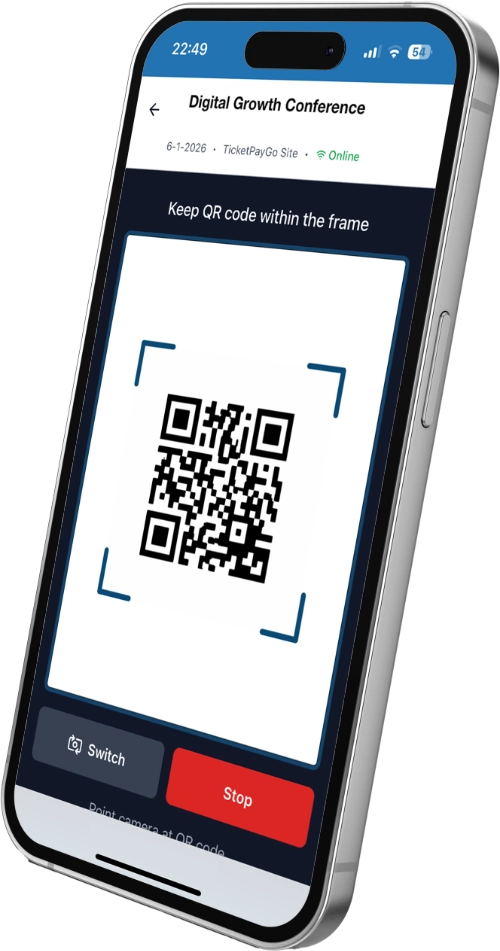
QR scanner works on any iPhone or Android device. No app installation needed, just open the URL and start scanning with real-time validation.
Tickets in Apple Wallet and Google Wallet. Attendees always have their ticket ready at the venue — on iPhone or Android.
Real-time insights with revenue, attendance, and demographics. Know exactly how your events perform with detailed charts and reports.
Because tickets are sold on your own website, customer data stays in your environment. Fewer third parties, less privacy complexity.
Web-based scanner works on any iPhone or Android device. No app store installation required, just open the URL and start scanning.
Built for WordPress professionals and service businesses that sell time-based experiences.

Sell tickets for concerts, conferences, festivals, and community events.
Add white-label ticketing to client sites with Elementor and custom styling.

Sell class passes, personal training sessions, and membership-based bookings.

Offer drop-in classes, courses, and workshops with recurring time slots.

Take appointments for treatments, cuts, and services with online prepayment.

Book shoots, mini-sessions, and portfolio days with deposit or full payment.

Sell coaching sessions, group programs, and consulting calls from your site.

Manage patient appointments and group sessions with secure booking and payments.

Sell numbered seats with an interactive seat map for film screenings, live shows, and performances.
From setup to check-in, in four simple steps.
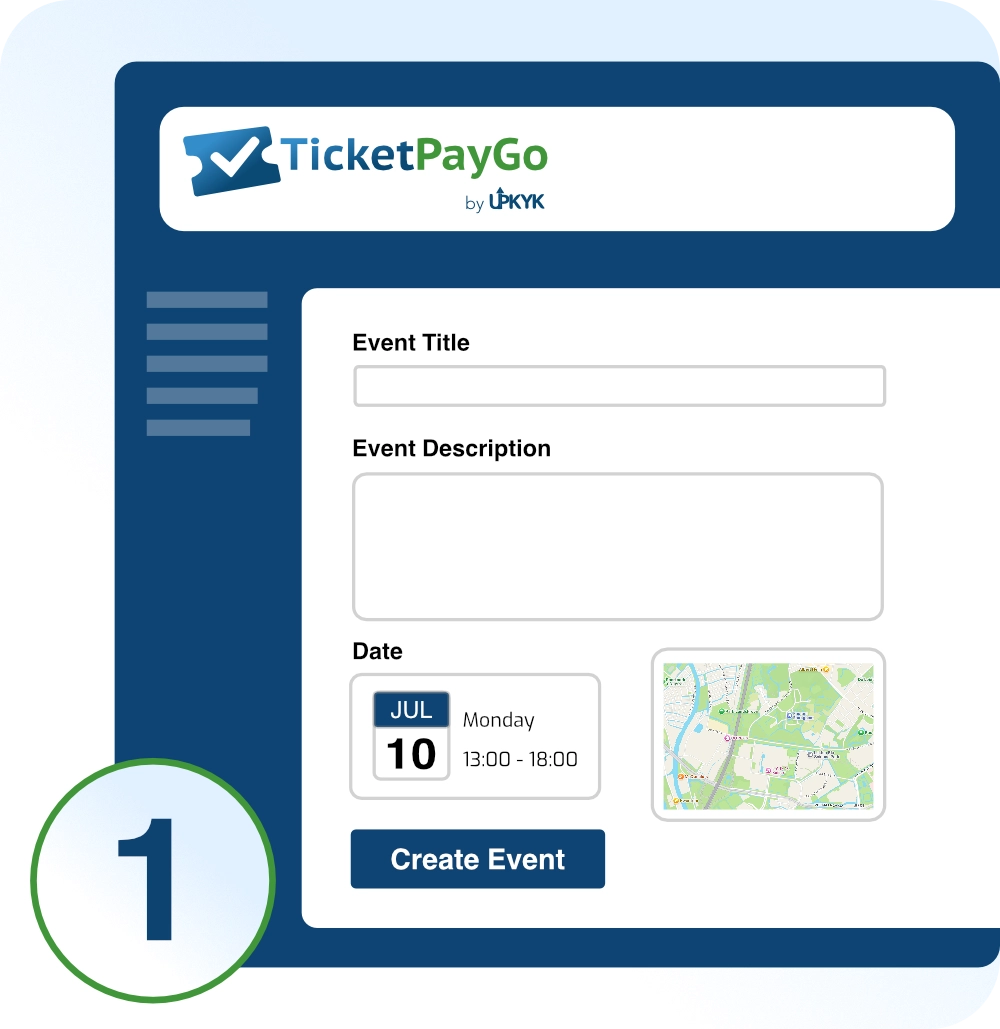
Connect your payment provider once. Add your event, class, or booking service and define title, schedule, location, and capacity.
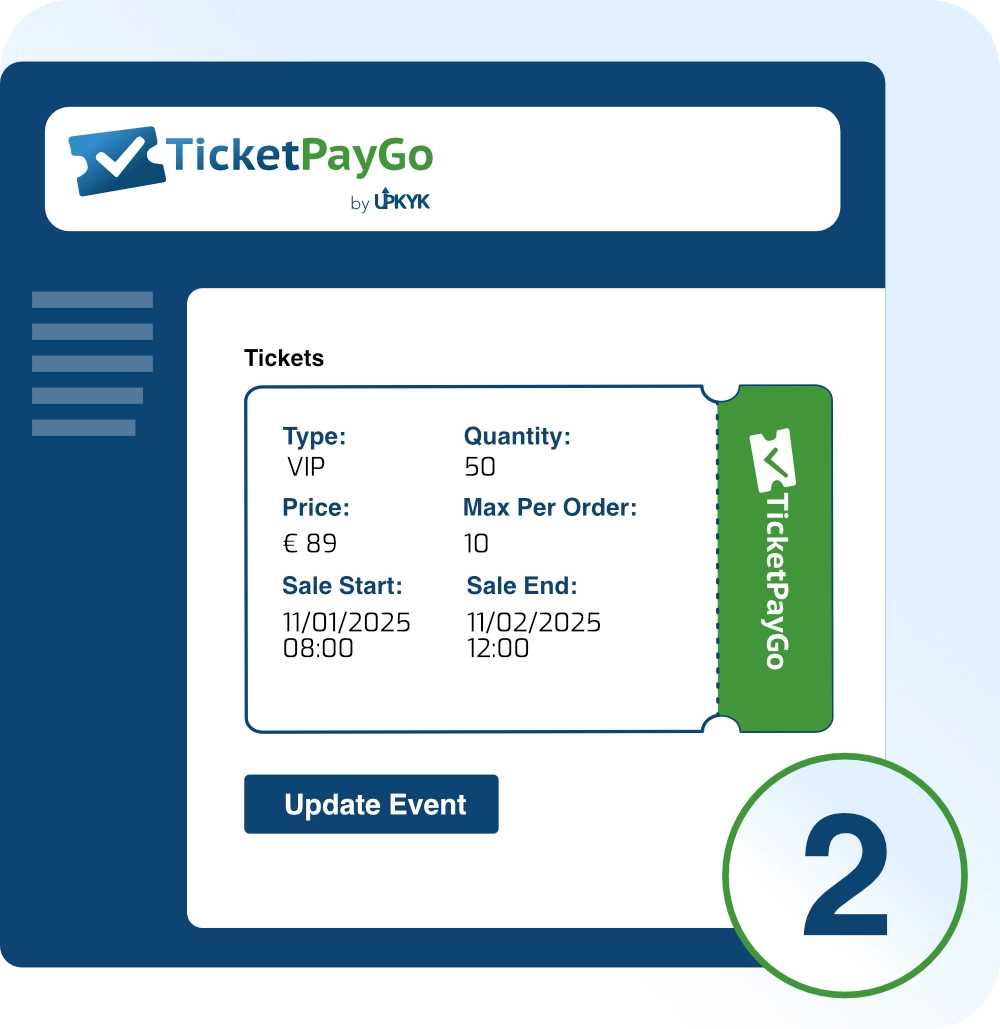
Set up ticket tiers, time slots, recurring schedules, and pricing for events, courses, workshops, or appointments.
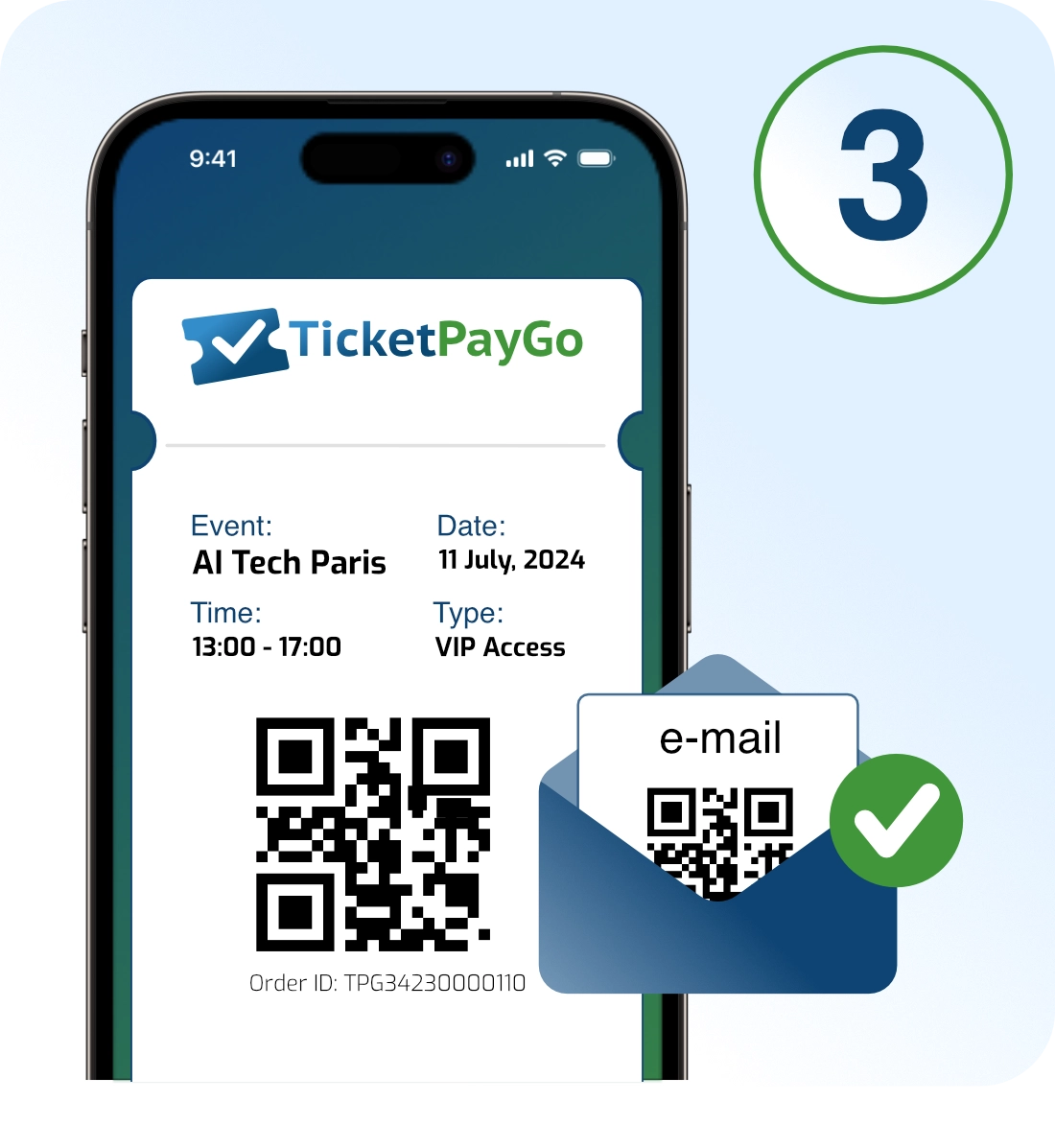
Attendees choose their date or session, pay, and receive QR tickets via email with wallet and calendar options.
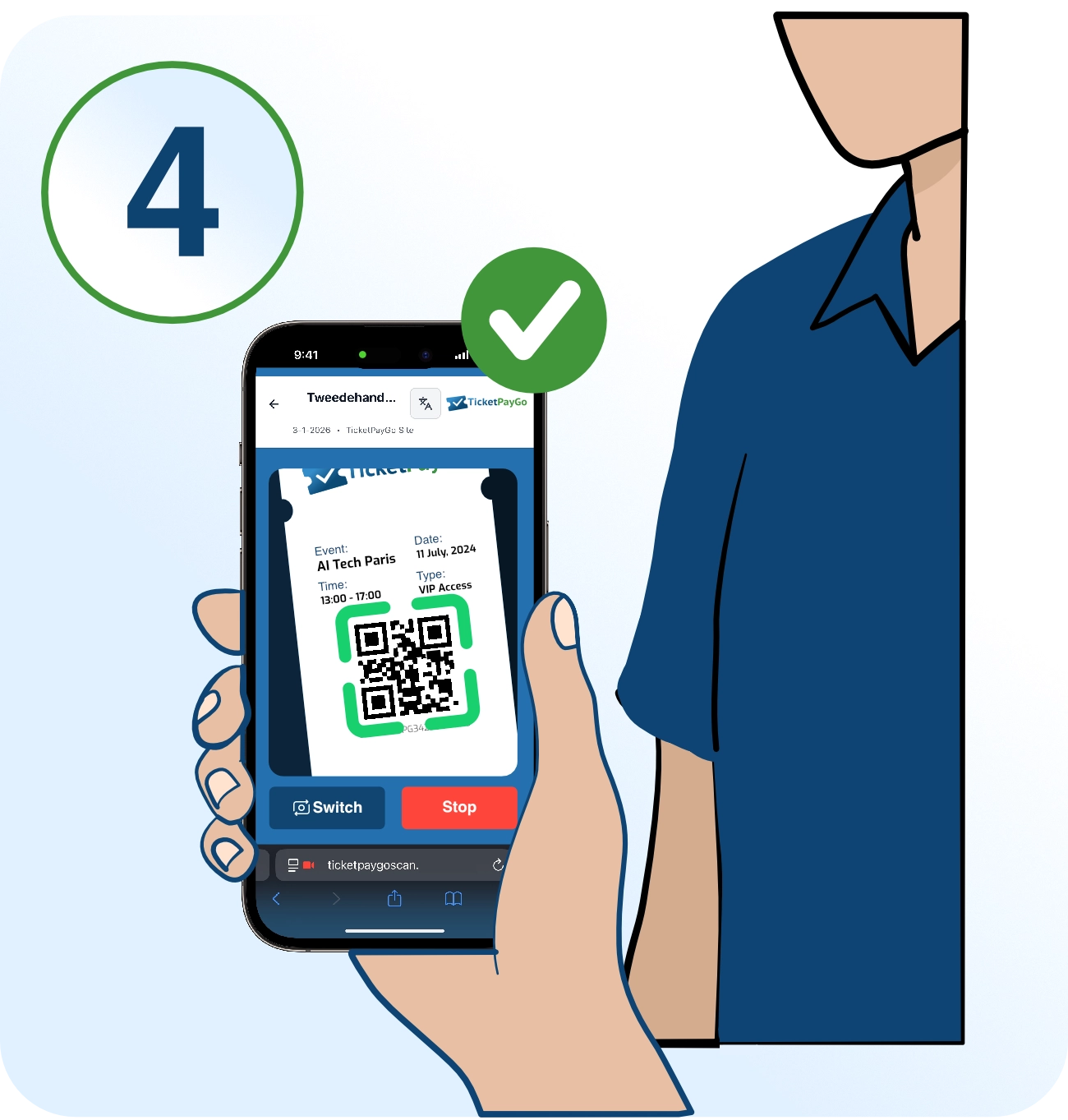
Use the web scanner for real-time validation, check-in tracking, and live attendance stats.
Works with the tools your attendees already use.






Accept payments globally via Stripe, PayPal, and Mollie with automatic webhook handling and refund support.


Attendees add tickets to their Apple Wallet or Google Wallet for instant access at the venue.
ICS downloads and add-to-calendar links in emails and on ticket pages.
Native Elementor widgets for Event Card, Events Grid, and Calendar. Optional WooCommerce order sync with automatic account recognition for logged-in users.
Connect TicketPayGo to 6,000+ apps via Zapier and Make.com. Trigger automations when tickets are sold, scanned, or refunded. Included with every subscription.
Track event views, checkout funnel, and purchase conversions with automatic e-commerce data for retargeting and ROI analysis.
Everything from ticket creation to check-in analytics, in one plugin.
No per-ticket fees. No commissions. Just one flat rate.
Pause month to month. No events, no charge.
For most event organizers
For medium to larger events
For venues and agencies
Secure payment via Mollie

Extend TicketPayGo with optional add-ons for any paid plan.
Print professional name badges for your attendees. Design custom templates, auto-fill attendee data, and export print-ready PDFs. Perfect for conferences, workshops, and networking events.

Sell numbered seats cinema- and theatre-style with an interactive seat map. Build any venue in minutes - or let AI create the seat plan from a photo of your existing layout.
Show a waitlist signup form on sold-out events. Automatically promote the next person in line on refund or cancellation.
Add more simultaneous scanner devices to your plan. Each scanner account works on any phone or tablet, no app needed.
Open a working WordPress playground with sample events, booking services, and TicketPayGo installed, so you can see the visitor-side ticket and booking flow before choosing a plan.
View demo pageA complete ticketing and booking solution built specifically for WordPress.
The whole checkout runs on your domain, in your design. No redirect to a ticket platform, and every buyer stays your customer.
Why redirects cost you salesCards, Apple Pay, Google Pay, iDEAL, Bancontact and PayPal. Payments land straight in your own account, with refunds and test mode included.
Selling with iDEAL and BancontactEvery ticket gets a unique QR code, also in Apple Wallet and Google Wallet. Scan at the door with any phone, no app and no extra hardware.
How check-in worksTicketPayGo runs on its own, so you don't need a full web shop just to sell tickets. WooCommerce sync is there if you want it.
Compare WordPress ticketing pluginsWith the Reserved Seating add-on, guests pick their own seat on an interactive map. Build the map from a photo of your hall plan.
Ticketing for small theatres and cinemasRecurring classes, workshops, tours and appointments with dates and time slots, sold from the same plugin as your event tickets.
Pilates class bookings on WordPressTicketPayGo supports Stripe, PayPal, and Mollie out of the box. Each provider includes webhook handling, automatic refunds, and test mode for development.
Yes. Create VIP, Free, Early Bird, General Admission, or any custom tier with individual pricing, capacity limits, and availability windows.
Absolutely. The entire experience is mobile-first, from the booking form to the e-ticket display. Tickets can be added to Apple Wallet on iPhone or Google Wallet on Android.
Yes. After purchase, attendees receive links to add their ticket to Apple Wallet (.pkpass) on iPhone, or Google Wallet on Android, plus add-to-calendar options.
Generate scanner tokens in the admin panel. Each token can be used on a separate device. Tokens support multi-event access and include offline queueing with sync.
Yes. From version 1.15.0, the scanner includes a Sell at the Door screen. Enter the customer name and email, choose the ticket type and quantity, then pick Cash or Online (QR). For cash, tap Complete sale and the ticket is issued instantly with a confirmation email. For online payment, a QR code appears on your screen that the customer scans and pays on their own phone through your existing Stripe or Mollie checkout. No card terminal needed. Every door sale flows into your normal Orders and live attendee counts automatically.
Yes. Set up daily, weekly, biweekly, monthly, or yearly recurrence with custom day selection, end dates, and bulk updates for all future instances.
No. TicketPayGo works standalone with native payments. However, if WooCommerce is installed, you can enable optional order sync to manage all orders in one place - perfect if you also sell products through your store.
Yes. Every subscription includes the TicketPayGo Webhooks add-on, which connects directly to Zapier, Make.com, and any custom endpoint. When a ticket is sold, scanned, or refunded, you can trigger automations in 6,000+ apps such as adding a contact to your CRM, sending a Slack notification, or updating a spreadsheet. The add-on is delivered with your welcome email and takes a few minutes to set up.
Yes, with the TicketPayGo Badges add-on. Design custom badge templates, auto-fill attendee data from your tickets, and export print-ready PDFs - either as a sheet layout for office printing or at exact badge size for Dymo, Zebra, or Brother label printers.
Yes. TicketPayGo includes native Elementor widgets for Event Card, Events Grid, and Calendar. Design your event pages with full visual control directly in the Elementor editor with comprehensive styling options.
No problem. Start a monthly subscription before your event and cancel anytime after. Your subscription stays active until the end of the billing period, so you can keep using everything until your event wraps up. Planning another event later? Use the Pause option instead of canceling - your settings stay saved and you can reactivate when needed.
Yes. The free PDF Invoices & Receipts add-on lets you generate branded PDF invoices and receipts for every order. You can download them from the admin order view and customers can download them from the order lookup page. Try it on the demo page with a test order.
Yes. TicketPayGo supports booking events where customers can choose a date, a full day, or a specific time slot. Ideal for courses, workshops, training sessions, appointments, tours, and any scheduled activity.
Yes. With the TicketPayGo Seating add-on you can sell numbered seats cinema- and theatre-style. Visitors pick their seat from an interactive seat map, and the seat number appears on the ticket, in Apple/Google Wallet, and on the scanner.
Have questions about TicketPayGo? We're here to help.
We typically respond within 24 hours
Get TicketPayGo and start selling tickets for your next event in minutes.
Works with WordPress 5.0+ and PHP 7.4+