
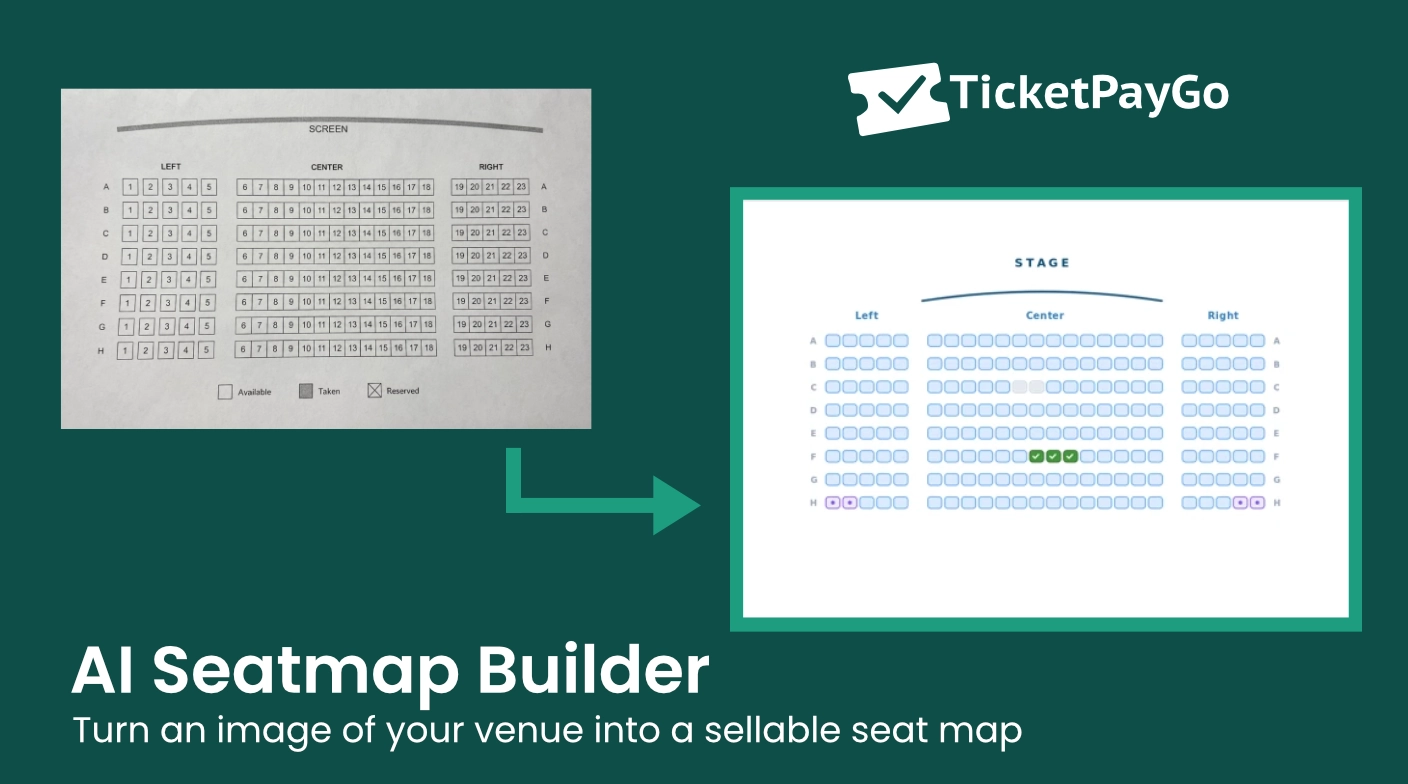
Turn a Venue Photo Into a Seat Map With AI
Building a seat map by hand is the slowest part of reserved seating. Placing hundreds of seats one by one, numbering every row, marking the aisles, it turns setup into an afternoon of clicking. The AI seat-map builder in TicketPayGo removes that step: you build a seat map from a photo instead of from scratch.
Upload what you already have and let the model do the placing. Here is how it works and where the limits are.
What the AI Seat-Map Builder Does
Most tools give you a blank canvas and leave the layout to you. This one starts from your real venue. A vision model reads the image and detects each row, its seat numbers, the sections, curves, and aisles, then returns a structured seat plan, not just a picture.
That distinction matters. A structured plan is editable and sellable: every seat is a real, numbered object you can price and sell, not pixels on a background.
Three Steps From Photo to Sellable Seat Map
The whole flow takes minutes.
- Upload your seating chart. Drop in a photo, screenshot, or PDF of your venue. A hall plan, a printed chart, even a hand-drawn sketch works, as long as it shows rows and seats.
- AI reads rows, numbers, and sections. The model detects seat numbers (odd or even, left to right), separate sections, curves, and aisles, and rebuilds them as an editable layout.
- Review, tweak, and publish. Fine-tune anything in the visual editor, drag, rotate, recolor, rename rows, then assign ticket types to sections and go live.
You Do Not Have to Use AI
AI is the fast path, not the only one. If you would rather build by hand, you can generate a uniform block of rows and seats in one click, place and arrange every section yourself in the visual editor, or paste a JSON layout for advanced setups. Use whichever gets your venue live fastest.
From Seat Map to Selling Seats
A seat map is only useful if it sells. Once yours is live, guests pick their seats on an interactive map, selected seats are held with a countdown so nobody double-books, each section can carry its own price, and the seat number lands on the ticket, wallet pass, and scanner. For the full picture of how assigned seating works, read reserved seating on WordPress for cinemas and theatres.
Frequently Asked Questions
Can AI build a seating chart from a photo? Yes. Upload a photo, screenshot, or PDF and the builder reads the rows, seat numbers, and sections, then returns an editable seat plan.
What files can I upload? Photos, screenshots, and PDFs all work. Hall plans, printed charts, and even hand-drawn sketches are fine, as long as rows and seats are visible.
Is the result accurate? The model returns a structured draft you review and adjust before publishing, so you always confirm the layout rather than trusting it blindly.
Do I have to use AI? No. You can build entirely by hand with the one-click block generator, the visual editor, or a JSON layout.
What to Do Next
See how fast AI rebuilds a real venue: try the Reserved Seating demo. Then read the full guide to selling numbered seats on WordPress.